Introduction
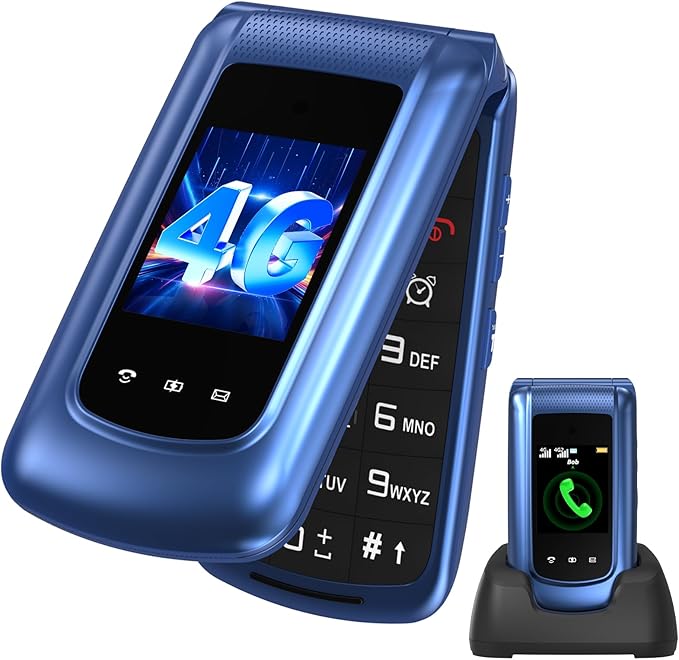
In today's hyper-connected world, keeping in touch with our loved ones, especially the elderly, can sometimes feel overwhelming with advanced mobile technology. If you’ve ever had an older family member struggle with the complexity of a smartphone, you'll appreciate a simpler, more intuitive solution. That’s where the uleway 4G Senior Mobile Phone steps in. Designed with user-friendliness and practicality in mind, this phone emphasizes the essentials: ease of use, clear communication, and a solid emergency response system.
Pros & Cons
- Pros:
- Large buttons and dual LCD display make the phone accessible.
- SOS emergency call button offers peace of mind.
- Supports dual SIM for wider network coverage.
- Includes a convenient charging station with a Type-C port.
-
Direct FM radio and alarm function buttons set for easy access.
-
Cons:
- Limited app functionality due to the simple operating system.
- The design might not appeal to younger users or tech enthusiasts.
- Not suitable for heavy internet browsing.
Comparison
Compared to entry-level smartphones, the uleway senior phone forgoes advanced app capabilities for enhanced usability, making it perfect for seniors who prioritize basic phone functions over apps. Unlike more complex touch-screen phones, the uleway ensures straightforward communication, which could be more appealing in a household with elderly members. While it might not replace a fully-fledged smartphone, it surpasses impersonal landlines by offering mobility and emergency features.
User Tips / Usage Guide
-
Setting up SIMs: Utilize the dual SIM feature to separate personal and emergency contacts, ensuring reliable connectivity.
-
Utilizing the Charging Station: Set the charging station in a commonly used area like the kitchen or bedroom for easy nightly charging routines.
-
SOS Button Programming: Pre-set up to five trusted contacts and make sure your loved one tests the SOS button – it's crucial during emergencies.
-
Button Familiarization: Spend time in advance familiarizing with button placement and features such as FM, alarm, and text messages.
-
Volume Adjustment: Use the clear volume feature to ensure calls can be heard easily in various environments.
-
Regular Updates: Encourage regular software updates if available for improved functionality and security.
-
Emergency Practice: Occasionally, simulate an emergency scenario to ensure the SOS function is easily activated.
-
Store User Guide Nearby: Keep a physical copy of the user guide near the charging station for quick reference.
Conclusion
For anyone looking for a functional yet uncomplicated phone for seniors or kids, the uleway 4G Senior Mobile Phone stands out as a champion of sensible features. Its ease of use, combined with practical functionalities like the SOS button and charging dock, gives peace of mind to both users and their families. Whether you’re trying to maintain superior communication with your elderly relative or providing a first phone for a child, this device delivers lasting value without unnecessary frills. While it might not suit those needing cutting-edge tech, for its target users, it truly is an invaluable asset that ensures staying connected is simple, safe, and reliable.