Introduction
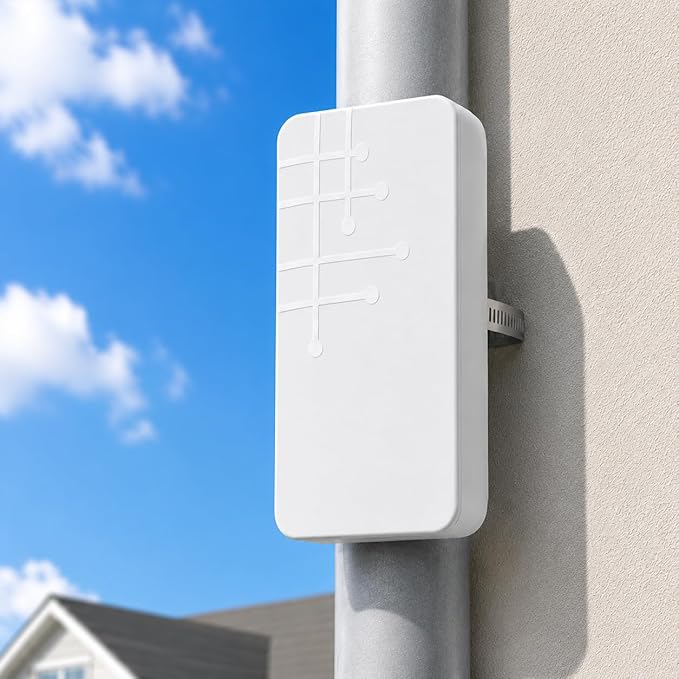
The TP-Link Outdoor WLAN Extender presents a robust solution to a common problem—extending reliable internet coverage outdoors. As outdoor activities and work-from-home setups become increasingly pervasive, the need for uninterrupted connectivity outside your walls grows. Standard indoor routers often falter when challenged by thick walls and distance, leading to frustrating signal drops or exceedingly slow speeds. This product addresses these issues by amplifying and extending the reach of your existing WLAN, ensuring seamless connectivity even in the outdoors.
Pros & Cons
- Pros
- Dual-band support improves signal stability and reduces interference.
- Supports a wireless speed of up to 300Mbps, adequate for streaming and light work.
- IP65-rated design ensures durability against harsh weather conditions.
- Flexible deployment, thanks to PoE (Power over Ethernet) support.
-
Simple setup process with intuitive configuration settings.
-
Cons
- Limited to a maximum speed of 300Mbps, not suitable for high-demand tasks like 4K streaming.
- Initial setup may require technical understanding for optimal placement.
- The design, while weather-resistant, could benefit from a more aesthetic appeal.
Comparison
In comparison to other brands, such as the Ubiquiti Networks UniFi Outdoor AP, the TP-Link extender offers a more budget-friendly alternative while still maintaining adequate performance for typical usage scenarios. Unlike the UniFi, which can support higher speeds and user loads, the TP-Link is geared towards consumers needing moderate speed and coverage at a lower cost. However, it includes essential features like dual-band support and weatherproofing, which are crucial for outdoor use.
User Tips / Usage Guide
-
Positioning: Ensure the extender is placed in an elevated position to maximize coverage and minimize physical obstructions like trees or buildings.
-
Avoid Overlapping Channels: Utilize the dual-band capability by setting different frequencies for various devices to maintain optimal performance and minimize interference.
-
Secure Wiring: Use weatherproof cabling and seals to protect PoE cables and ports from moisture and corrosion over time.
-
Firmware Updates: Regularly check for firmware updates to maintain security and system stability against potential vulnerabilities.
-
Power Source: Utilize PoE for a clean installation that reduces the need for additional power outlets and unsightly cords.
-
Compatibility Checks: Ensure your current router supports 802.11b/g/n standards to maximize the capacity and efficiency of the extender.
-
Signal Testing: After installation, use a Wi-Fi analyzer app to assess the signal strength across various outdoor areas, adjusting the unit's location if necessary.
-
Environmental Considerations: Be mindful of temperature extremities, as overly hot or cold conditions may affect device performance, even with weatherproofing.
Conclusion
The TP-Link Outdoor WLAN Extender is best suited for individuals or small offices looking to enhance their outdoor internet connectivity without a significant financial outlay. Its performance capabilities, combined with its durable, weatherproof construction, provide a solid value for those needing moderate speeds and reliable outdoor coverage. The product is an excellent choice for users prioritizing ease of use, durability, and affordability in extending their network outdoors.