Introduction – Problem + solution overview
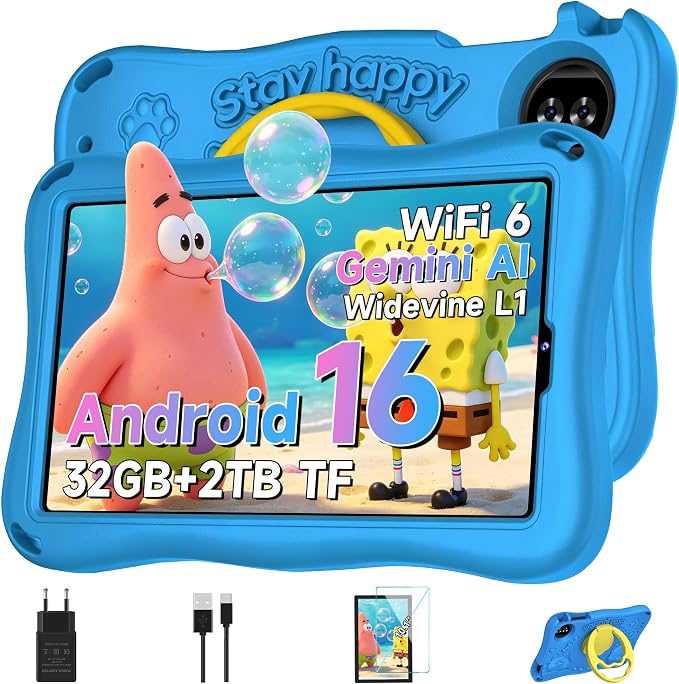
Isn't it fascinating when children's technology keeps pace with their imagination? The SUAAT S11 Children's Tablet has caught my attention with its futuristic specs and thoughtful design. As parents, we constantly juggle between encouraging tech-savviness and controlling screen time. This tablet seems like it understands both parents' concerns and kids' curiosities. Empowered by Android 16 and the intriguing Gemini AI, it promises an educational yet safe digital environment. And let's not forget its ample storage and protective features that make it practical as ever. Intrigued yet? You should be!
Pros & Cons – Use bullets with - for each item
- Pros:
- Advanced Gemini AI promotes active learning and creativity
- Comprehensive parental controls offer peace of mind
- Impressive 32GB storage, expandable to 2TB
- Long-lasting 5000mAh battery suitable for extended use
- Dual Wi-Fi bands (2.4GHz & 5GHz) for stable connections
-
EVA protective case adds durability, perfect for kids
-
Cons:
- The 9-inch screen might be slightly cumbersome for very young kids
- Some may prefer more intuitive parental control setup
- Additional TF/microSD card purchase required for storage expansion
- The camera quality is basic, suitable mostly for video calls
Comparison – Brief comparison section
When comparing the SUAAT S11 to other child-focused tablets in its range, the standout features are its combination of powerful hardware and software. Its 12GB RAM (comprising 6GB physical and 6GB virtual) offers a smoother performance than most competitors, which typically hover around 8GB total. The Gemini AI feature truly sets it apart, encouraging interactive learning beyond just passive watching or playing. However, some tablets on the market might offer more robust pre-installed educational content, rather than relying on downloads and customizable parental setups.
User Tips / Usage Guide – Include 5-8 tips as a numbered list
- Initial Setup: Make sure to fully charge the battery before use and remove the protective films on the display and lenses.
- Parental Controls: Set up screen time limits and content restrictions through the intuitive parental control settings to ensure safe usage.
- Explore Gemini AI: Encourage children to use Gemini AI to ask questions and explore topics they are curious about.
- Storage Expansion: Consider purchasing a TF/microSD card to take full advantage of the expandable storage.
- Wi-Fi Setup: Connect to a strong Wi-Fi signal (preferably 5GHz) to enhance streaming and downloading experiences.
- Daily Maintenance: Use the EVA protective case included to prevent damage and make it easier for children to handle the device.
- Firmware Updates: Regularly check for software updates to keep the Android 16 system operating smoothly.
- Learning Apps: Explore the array of educational apps available, ensuring they're compatible with the Widevine L1 specification for appropriate media content.
Conclusion – Final thoughts and target users
The SUAAT S11 Children's Tablet makes a compelling case for tech-savvy families looking to blend education with safe, controlled screen time. Its features like Gemini AI, robust parental controls, and massive storage capacity are impressive touches catering to both children's learning and parents' peace of mind. While it may take a little time to find the ideal setup, the investment is worthwhile for those enthusiastic about blending technology with interactive learning. This tablet is an excellent fit for families prioritizing educational development through digital innovation, all without compromising on safety. Who wouldn’t want a tech tool that grows alongside their child’s curiosity?