Introduction – Why this product is useful
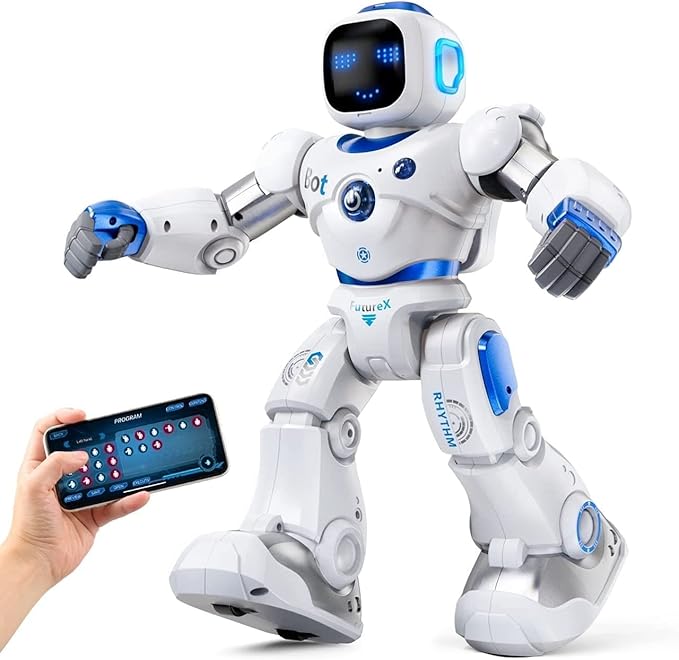
The Ruko Smart Robot Toy for Kids presents an innovative blend of education and entertainment, making it a captivating choice for young learners. Targeted at children aged 4 to 9 years, this interactive robot is designed to expand creativity, enhance programming skills, and provide countless hours of fun. Its app-controlled features and a plethora of programmable functions establish it as a STEM tool that can engage children in early learning experiences while also serving as a delightful companion.
Pros & Cons
- Pros:
- Multifunctional with activities like gymnastics, storytelling, dancing, and music.
- User-friendly app with support for various languages, including German.
- Rechargeable battery offers extended play up to 100 minutes.
- Engages children with 10 facial expressions and 9 flexible joints for realistic play.
- Constructed with safe, non-toxic ABS materials.
-
Allows for control through multiple interfaces - remote, app, and voice commands.
-
Cons:
- USB-C-USB-C cables are not supported for charging.
- English is the only language for the robot's voice playback, potentially limiting for non-English speakers.
- Charging time is relatively long (150 minutes).
Comparison – Compare with similar options
When examining the Ruko Smart Robot against similar robot toys, such as the Wonder Workshop Dash Robot and the LEGO Boost Creative Toolbox, certain distinctions become clear. The Wonder Workshop Dash Robot offers a comparable educational experience but is pricier and primarily focuses on coding without extensive entertainment features like the Ruko robot. On the other hand, the LEGO Boost Toolbox is excellent for creative building but lacks the immediate out-of-the-box functional play that the Ruko provides. What stands out here is Ruko's balance between interactive play and educational value at a competitive price point, combined with language support in the app for a more inclusive user experience.
User Tips / Usage Guide
-
Initial Setup: Ensure the robot is fully charged before use to avoid any interruptions. First-time charging is crucial.
-
App Configuration: Download and install the Carle App. Make sure Bluetooth is enabled on your device for seamless connectivity.
-
Control Exploration: Try all three control modes: the remote, app, and gravity sensor on your smartphone to find the most intuitive method for your child.
-
Program Simple Commands: Start with basic commands and gradually introduce complex tasks to develop programming skills.
-
Maintenance: Regularly check the joints and surface for dust or dirt to maintain optimal performance.
-
Battery Management: Teach children to recognize the low battery indicator to promote responsible playtime.
-
Engage with Activities: Explore all programmed activities like dancing or storytelling to fully utilize the robot's potential.
-
Voice Interaction: Encourage the use of voice command features to enhance interactive learning and fun.
Conclusion – Who should buy
The Ruko Smart Robot Toy is ideally suited for parents seeking an enriching, tech-forward play option that encourages learning and development. It’s an excellent choice for tech-savvy families who appreciate educational technology that doesn't sacrifice entertainment value. Whether your child is interested in technology, programming, or simply enjoys interactive toys, the Ruko robot provides a comprehensive and engaging experience, making it a worthwhile investment for young, curious minds eager to explore the world of robotics.