Introduction
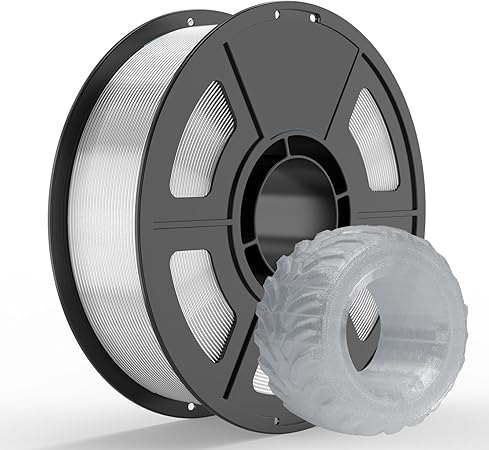
In the world of 3D printing, having the right filament can make a world of difference. The IEMAI TPU 95A 3D Printer Filament offers a compelling blend of flexibility, durability, and precision that caters to both seasoned professionals and enthusiastic hobbyists. Picture this: You’re in the middle of a creative printing session, crafting a flexible phone case or a robust gasket, and you need a filament that can keep up with the demands of complex designs. This TPU 95A filament aims to be that reliable partner, providing excellent print quality with an engaging user experience.
Pros & Cons
- Pros:
- Superior flexibility with a Shore Hardness of 95A
- High-precision ±0.02mm dimensional accuracy
- Enhanced high-speed printing capability
- Vacuum-sealed and moisture-free packaging
-
Universal compatibility with most FDM printers
-
Cons:
- Requires careful temperature settings to avoid warping
- Slight learning curve for beginners with flexible materials
- Transparent finish might develop slight discoloration over time
Comparison
When compared to other flexible filaments on the market, the IEMAI TPU 95A stands out due to its dimensional accuracy and high-speed performance. While many brands offer flexible filaments with a common accuracy of ±0.05mm, IEMAI’s offering is a game-changer with its tighter tolerance, which is critical for high-speed, precise projects. Competitors like NinjaFlex and SainSmart TPU offer similar flexibility but might not meet the high-speed capacity and precision that this IEMAI filament guarantees, especially for complex designs and rapid production.
User Tips / Usage Guide
-
Temperature Settings: Start printing at a nozzle temperature between 220-240°C. Adjustments might be needed based on your printer and project specifics to prevent warping.
-
Bed Adhesion: Use a slightly warmer bed temperature of 60-70°C for optimal adhesion and to prevent the edges of your project from curling up.
-
Speed Management: While the filament supports high-speed printing, starting slow—around 30mm/s—can help dial in settings before ramping up the speed.
-
Dry Storage: Keep filament dry in a sealed bag with desiccants after use, as TPU can absorb moisture rapidly, affecting print quality.
-
Retraction Settings: Be conservative with retraction. TPU's flexibility demands reduced retraction settings to prevent clogging or filament tearing.
-
Layer Height: A 0.2mm layer height is ideal for balancing detail and flexibility; however, experimenting with smaller layers for finer details can yield impressive results.
-
Use of Enclosures: Printing in an enclosure can maintain consistent temperature conditions, which is especially beneficial for complex or oversized projects.
Conclusion
The IEMAI TPU 95A 3D Printer Filament proves itself to be more than just another spool of plastic. With its unparalleled blend of flexibility, precision, and high-speed printing capability, it transforms the way users approach creative and functional 3D printing projects. Whether you are a professional looking to prototype industrial components or a weekend enthusiast tinkering with unique designs, this filament offers everything you need for a seamless and enjoyable printing experience. Its value shines through its consistent performance and is a worthwhile addition to any 3D printing toolkit. Ready to elevate your creative printing? This filament could well be your next best investment!