Introduction
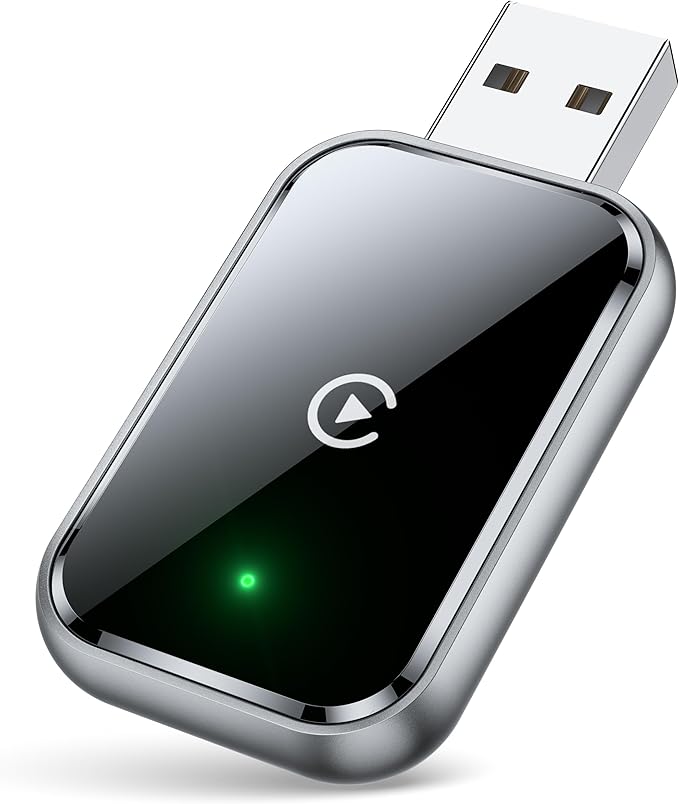
In a world where everything is becoming wirelessly accessible, having to fumble with cables in your car seems almost archaic. The HaMeby Wireless CarPlay Adapter addresses this inconvenience with aplomb. Designed to transform your wired CarPlay setup into a seamless wireless experience, this adapter is a modern solution to a problem many drivers face. Imagine accessing music, navigation, and calling features through your car's interface without the hassle of physically connecting your phone every time you enter the vehicle.
Pros & Cons
- Pros:
- Rapid connectivity with 5.8 GHz WiFi and Bluetooth 5.3
- Simple plug-and-play setup
- Durable with a tested lifespan of over 10,000 insertions
- Metal edges for enhanced heat dissipation
- Compact design fits even in narrow car slots
-
2-year warranty for peace of mind
-
Cons:
- Not compatible with Android Auto
- Additional USB Y-splitter required for full compatibility with some Nissan models
- Specific requirements for older car models (pre-2019)
Comparison
When compared to other wireless CarPlay adapters like those from CPlay2air or Carlinkit, the HaMeby adapter stands out for its faster transmission speeds and reliable connectivity. The integration of the latest WiFi and Bluetooth standards ensures a minimal delay, making it superior to many competitors that offer only 2.4 GHz connections. Although pricier models might feature more universal compatibility, the HaMeby offers excellent functionality for drivers with compatible setups.
User Tips / Usage Guide
-
Initial Setup: Ensure WiFi is enabled on your iPhone, but do not connect to any network. Pair via Bluetooth with "AutoLink-XXXX". Approval prompts should be allowed on your device.
-
Consistent Connectivity: Always have Bluetooth and WiFi on your device active for automatic connection upon restarting your car.
-
Cable Management: Use the included extension cables to find the most discreet and accessible connection points within your vehicle for a cleaner look.
-
Heat Management: Thanks to its metal edges, the adapter is designed to manage heat effectively but avoid positioning it near heat sources within your car.
-
Applicable Devices: Before purchasing, confirm that your vehicle supports wired CarPlay if it’s an older model.
-
Multiple Users: If multiple devices need to connect, remember to disconnect any current device before a new one pairs for seamless transition.
-
Firmware Updates: Keep an eye on the manufacturer’s website or customer support resources for potential firmware updates to ensure continued performance improvements.
Conclusion
If you're looking to modernize your car’s entertainment system, the HaMeby Wireless CarPlay Adapter is a stellar choice. Offering a robust feature set with cutting-edge connectivity options, it provides a hassle-free driving experience that’s hard to beat. While it isn't a one-size-fits-all solution due to some compatibility specifics, for those within its compatibility range, this adapter will feel like a substantial upgrade. The attention to detail here is notable—all the way from its material build to its user-friendly design. For tech-savvy drivers craving convenience, the HaMeby adapter should be on the top of your shopping list.