Introduction
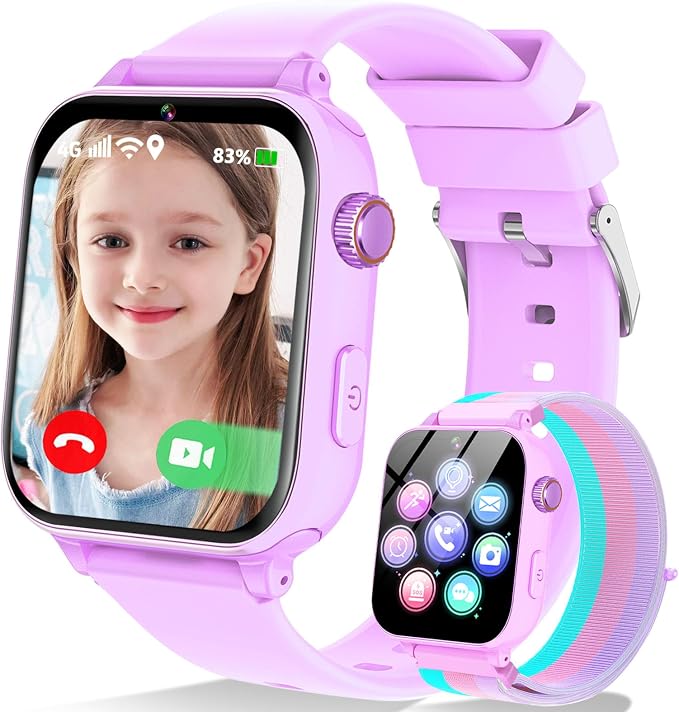
In today's fast-paced world, ensuring children's safety while staying connected is a challenge for many parents. The Junicare Kid's GPS Smartwatch with 4G capabilities addresses this by offering a device that keeps kids in touch with their parents while providing key safety features. Designed specifically for children aged 4-12, this smartwatch incorporates GPS tracking, video calling, and an array of educational and recreational features. It's a blend of modern technology serving a practical purpose: peace of mind for parents and fun for children.
Pros & Cons
- Pros:
- Dual GPS+LBS location tracking ensures accurate child location data.
- 4G capability allows for clear video and voice calls.
- Integrated SOS feature enhances child safety.
- Teaching mode helps maintain a balance between study and play.
-
The intuitive Junicare app adds functionality and control for parents.
-
Cons:
- 700mAh battery capacity could require frequent charging.
- 4G SIM card necessary for full functionality may increase ongoing costs.
- Limited memory storage at 512 MB restricts user capabilities.
- The initial setup may be cumbersome for non-tech-savvy users.
Comparison
Compared to other smartwatches in the children's category, such as the VTech Kidizoom and the TickTalk 4, the Junicare Smartwatch stands out due to its 4G connectivity and real-time GPS tracking. While the VTech models are typically more focused on recreational content, Junicare emphasizes safety and communication. Additionally, the TickTalk 4 is similar in connectivity but offers fewer teaching and focus-oriented features. The Junicare's dual-band location system and robust app-based management tools give it a competitive edge in parental control and peace of mind.
User Tips / Usage Guide
- Proper Setup: Use the Junicare app to configure settings immediately upon purchase. Scan the built-in QR code to sync the device, ensuring swift connectivity.
- SIM Card Selection: Choose a telecom provider with strong 4G coverage in your area to enhance communication quality.
- Battery Management: Charge the smartwatch overnight to ensure it lasts through the day, especially if frequent calls or GPS usage is expected.
- Security Zones: Configure security zones via the app for critical areas like home and school. Test notifications to ensure timely updates.
- Activate Teaching Mode: Take advantage of the teaching mode during homework hours to reduce distractions and promote study over entertainment.
- Regular App Updates: Keep the Junicare app updated to benefit from software improvements and enhanced security features.
- Safety Monitoring: Regularly review location and activity data within the app to track your child's movements and adjust safety settings as needed.
- Education Integration: Supplement the watch's educational periods with learning apps to reinforce educational objectives.
Conclusion
The Junicare Kid's GPS Smartwatch ideally suits parents who prioritize safety and connectivity. Its capabilities to facilitate continuous communication, monitor location data, and adapt to educational and recreational needs justify its value proposition. This product is perfect for guardians seeking a device that merges effective tracking with communication functionalities and offers a secure watch for young children navigating an increasingly digital environment.