Introduction – Why This Product is Useful
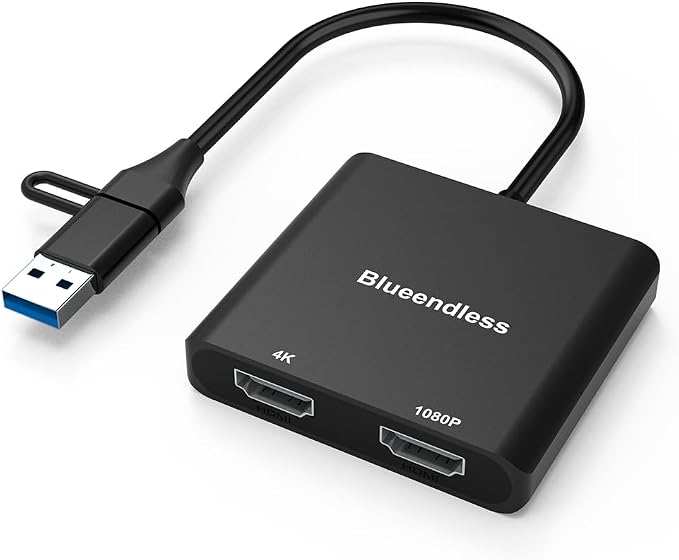
The BKELHS USB 3.0 to Dual HDMI Adapter is an essential accessory for users who seek to extend or mirror their display across two screens seamlessly. This adapter is particularly beneficial for business professionals and multitaskers who rely on having multiple screens for increased productivity. With the capability to support resolutions up to 4K at 30Hz, this device offers a robust solution for creating a richer viewing experience. Its compatibility with both Windows and Mac operating systems extends its usability to a wide audience, making it a versatile piece of technology in any setup. However, it's worth noting that this adapter is optimized for web applications and productivity suites rather than gaming or graphic-intensive tasks.
Pros & Cons
- Pros
- Supports up to 4K resolution at 30Hz, enhancing display quality.
- Compatible with multiple systems, including Windows, Mac OS, Chrome OS, and Android.
- Dual monitor support, enabling screen extension or mirroring.
-
Offers a 24-month warranty and lifetime technical support.
-
Cons
- Driver installation is required, eliminating plug-and-play convenience.
- Not ideal for playing HDCP-protected content on popular streaming services.
- Does not excel in gaming or high-end graphic design applications.
Comparison – Compare with Similar Options
When compared to similar products in the dual monitor adapter category, such as the UGREEN USB 3.0 to HDMI Adapter and the j5create USB-C Dual HDMI Adapter, the BKELHS adapter stands out for its support mechanism, providing a notable 24-month warranty which most of its competitors lack. While the UGREEN adapter offers similar 4K support, it is limited to a single HDMI output, making BKELHS a better choice for users needing dual-screen setups. Additionally, j5create supports only USB-C connections, narrowing its usability. In contrast, the BKELHS adapter offers both USB 3.0 and USB-C adaptability, making it a more versatile option.
User Tips / Usage Guide
- Install the Driver: Always ensure the latest driver is installed before using the adapter to guarantee smooth operation.
- Check Your Cable Quality: Use high-quality HDMI cables to maintain optimal video quality.
- Follow the Instructions: Carefully read through the Quick Start Guide to avoid installation issues.
- Compatibility Check: Verify your device has USB 3.0 ports or use an appropriate adapter for USB-C connections.
- Adjust Display Settings: On both Windows and Mac, you may need to adjust display settings to achieve your desired screen layout.
- Avoid HDCP Content: This adapter is not suitable for streaming HDCP-protected services like Netflix.
- Application Suitability: Use primarily for productivity apps; gaming might experience lag or diminished performance.
- Monitor Refresh Rate: Check if your monitor supports 30Hz at 4K to ensure compatibility.
Conclusion – Who Should Buy
In conclusion, the BKELHS USB 3.0 to Dual HDMI Adapter is tailor-made for users who need a straightforward solution for connecting multiple displays. It is especially suited for professionals who demand efficiency in tasks that benefit from dual-screen setups, such as financial analysts, engineers, and content creators working with web-based tools. It's an exceptional choice for those already acquainted with driver installations and who aren't seeking a gaming accessory. While it has some limitations regarding multimedia content and graphics-heavy applications, its robust compatibility and support service make it a reliable investment for productivity enhancement in a home or office setting.